IB

Connect Interactive Brokers

PnL Plus reads your trade history through a Flex Query — IB's official read-only service. You set up the query once in your broker portal and paste two values into PnL Plus. We have no access to your funds or trading.

≈ 5 minutes Read-only Via Flex Query
1

Open the Flex Queries section

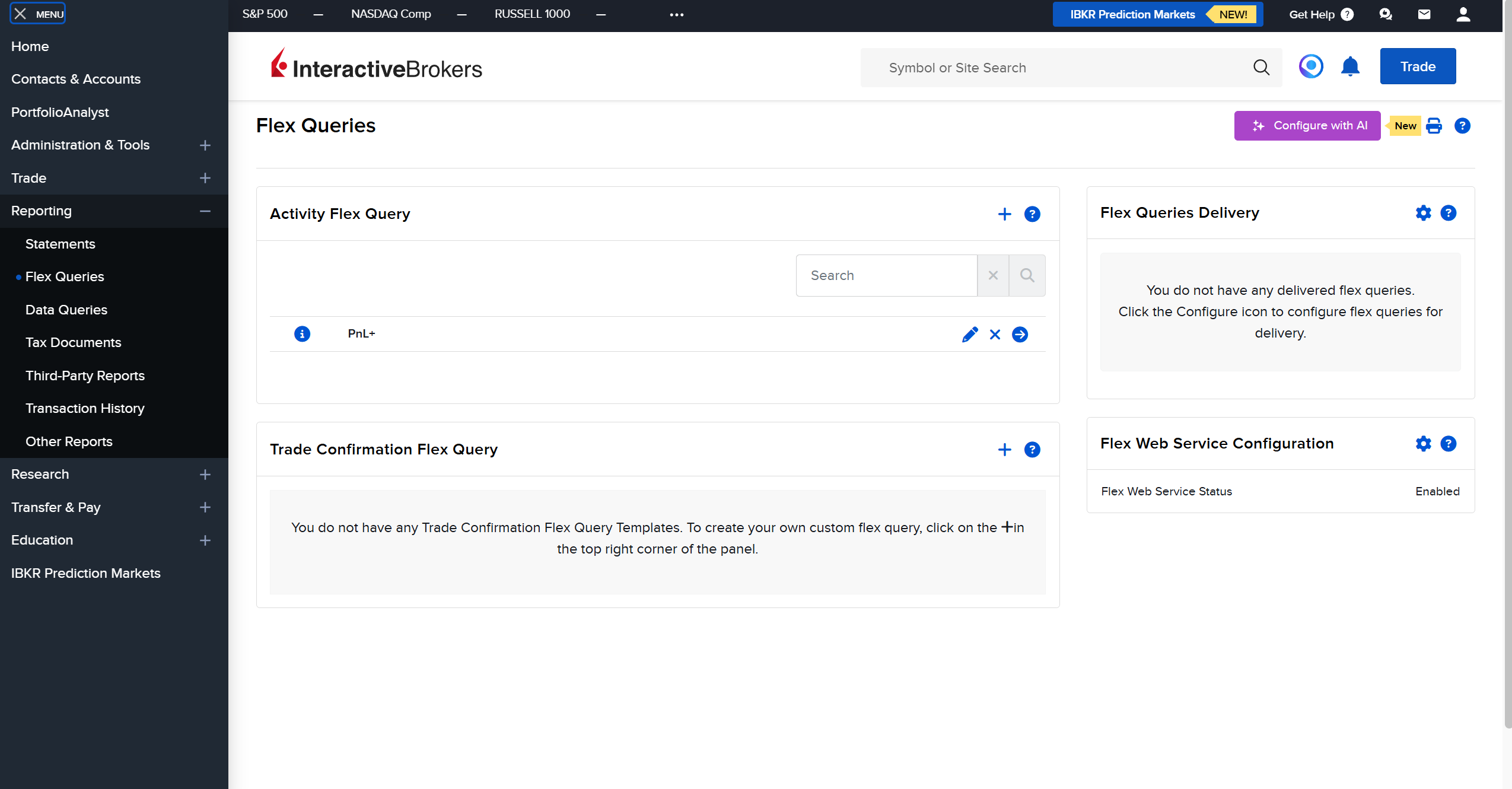
Sign in to the Interactive Brokers Client Portal. Click the profile icon in the top-right corner and choose Settings. In the left menu open Reporting → Flex Queries.
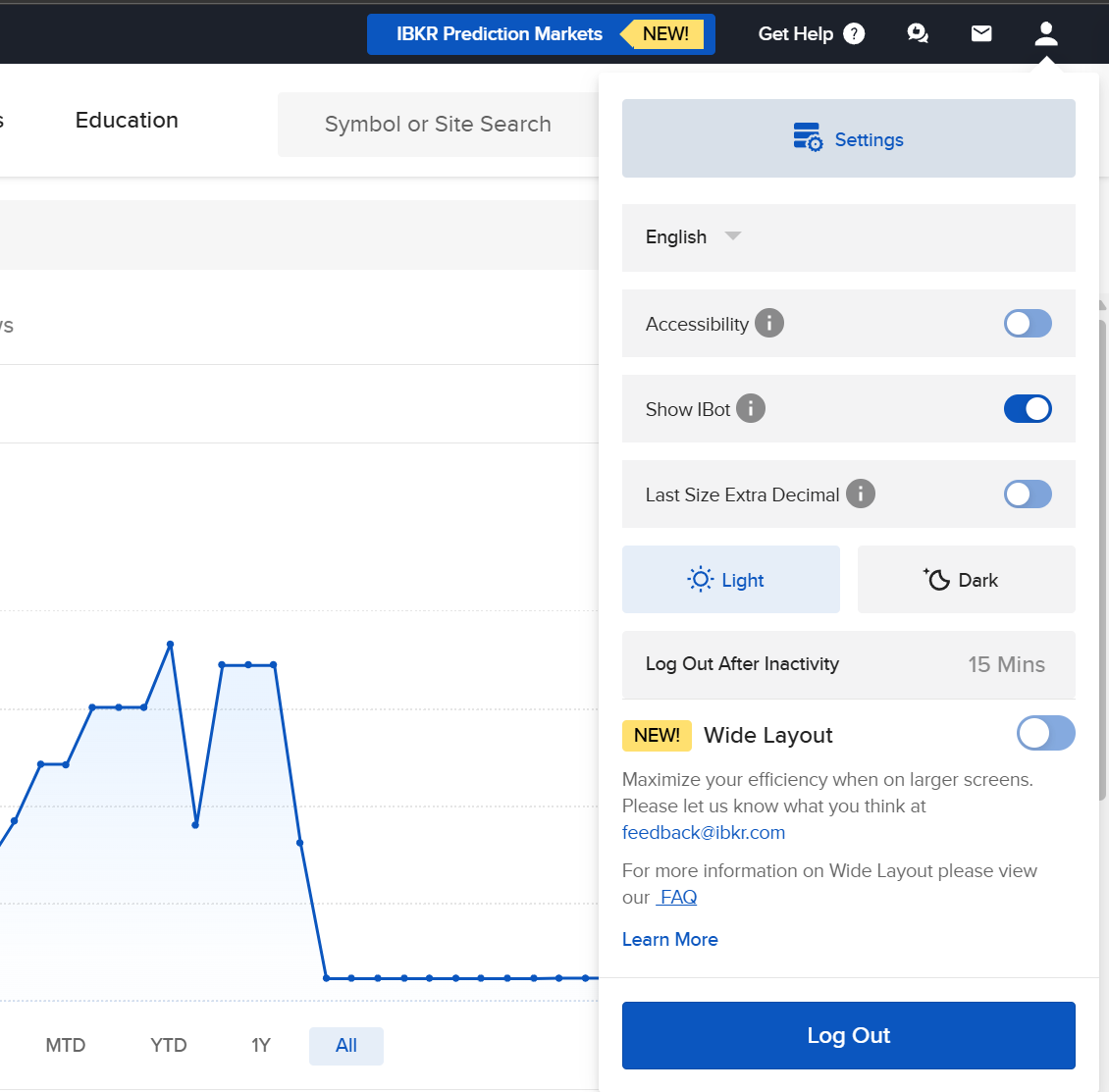
Profile → Settings
Profile → Settings
Reporting → Flex Queries
2

Enable the Flex Web Service

On the right side of the page find the Flex Web Service Configuration block. Click the gear, set Flex Web Service Status to Enabled and save. Copy the Current Token — you'll need it in step 4.
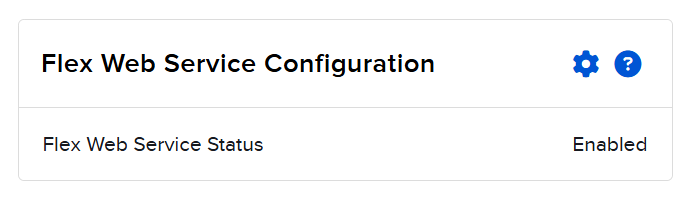
Flex Web Service Status → Enabled
The Token is a read-only secret access key. Don't publish it or share it with anyone.
3

Create an Activity Flex Query

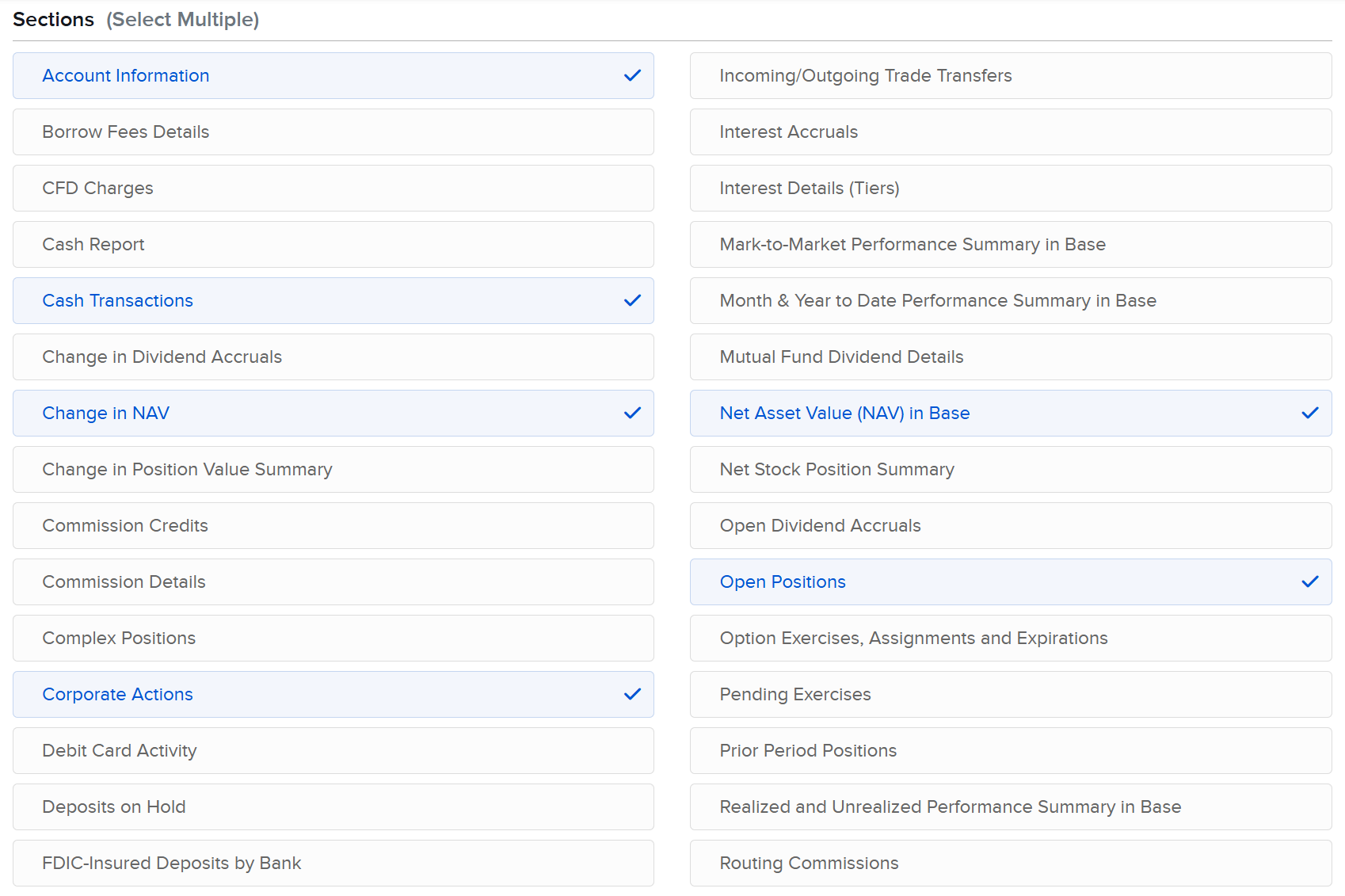
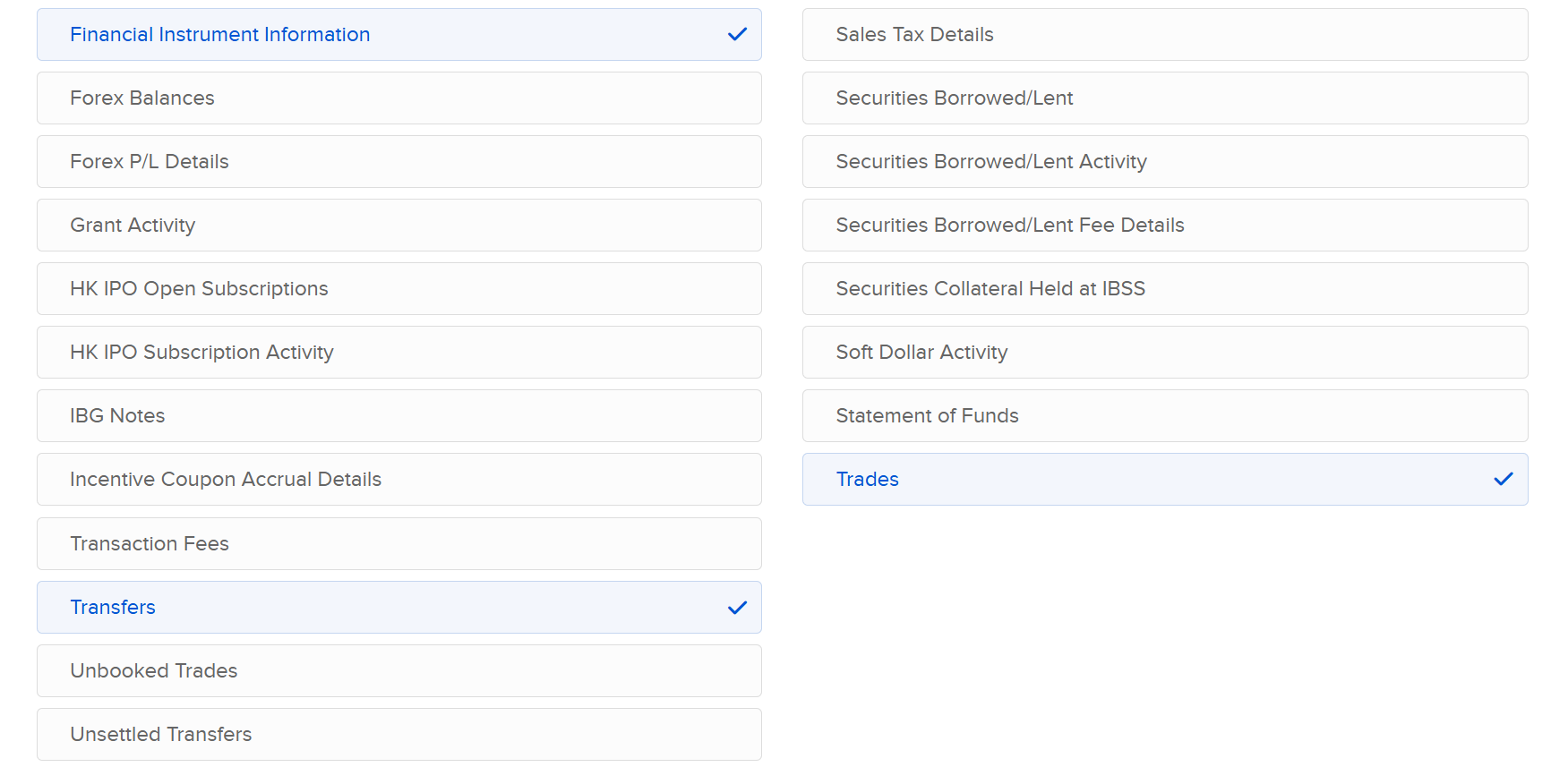
In the Activity Flex Query block click + and create a new query. Give it a name, e.g. PnL+. Under Sections check the following categories:

Account Information
Net Asset Value (NAV) in Base
Cash Transactions
Open Positions
Change in NAV
Financial Instrument Information
Corporate Actions
Transfers
Trades

Set Period → Last 365 Calendar Days, save the query and copy its Query ID.

Activity Flex Query → click +
Sections — check the categories
Sections — continued
Period → Last 365 Calendar Days
4

Enter the details in PnL Plus

Go back to PnL Plus. In the “Connect account” → Interactive Brokers window, paste the Flex token and Query ID, then click “Next” — we’ll find the account in the report and connect it.

IBConnect Interactive Brokers
Next →
Read-only access
Done — connect your account
We'll import 365 days of history and start computing returns on equity.
Connect account

Восстанавливаем соединение…

Не удалось переподключиться… повтор через с.

Соединение потеряно.
Обновите страницу или повторите попытку.

Сессия приостановлена сервером.

Не удалось возобновить сессию.
Обновите страницу или повторите попытку.